Accounts Payable
Automate invoice intake, validation, approvals, exceptions, and payment-support workflows.
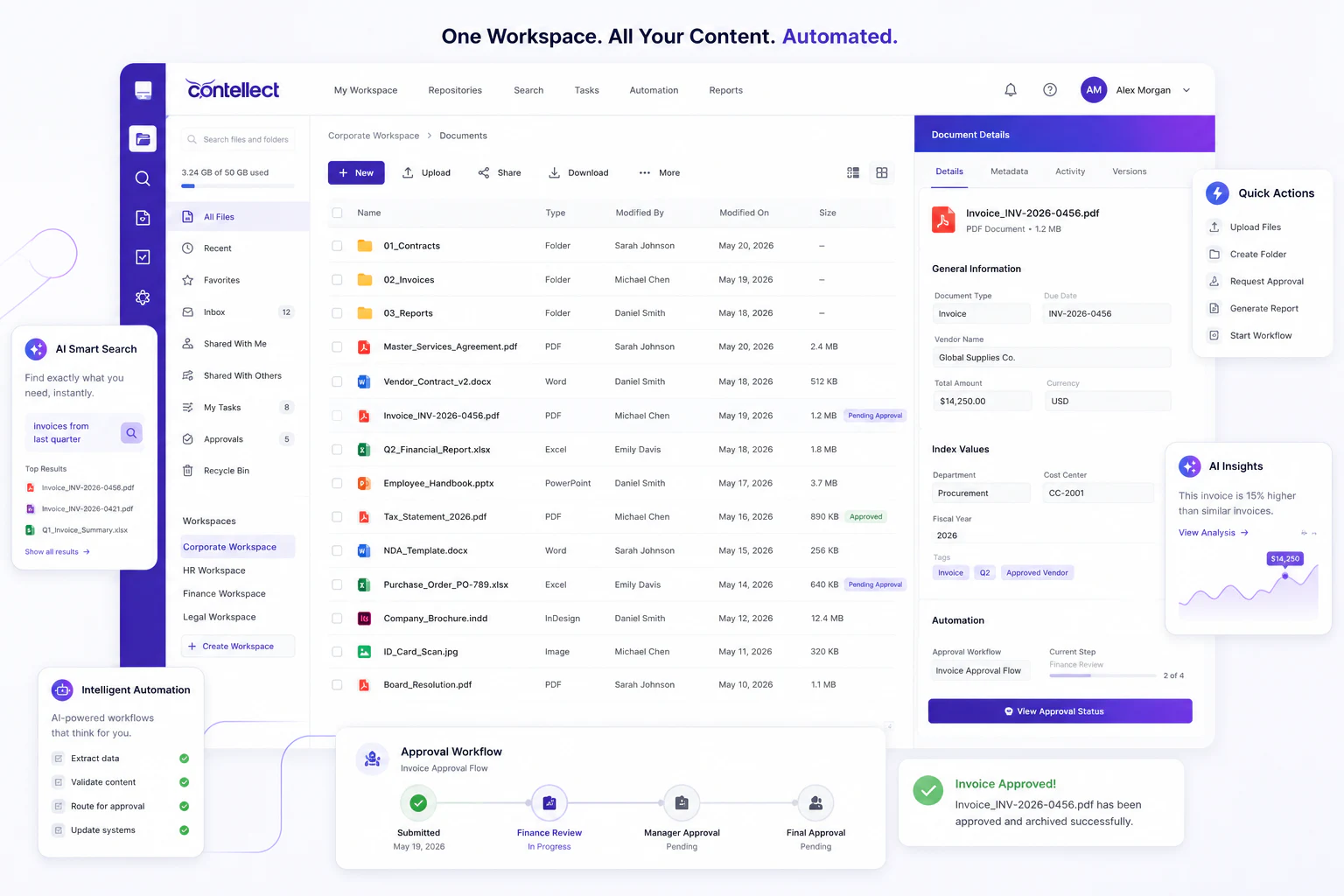
Automate invoice capture, accounts payable approvals, supplier documents, payment evidence, and audit-ready finance workflows with Contellect One.
Accounting content intelligence
Accounts payable automation uses AI document processing and workflow automation to capture invoices, extract supplier and payment data, validate purchase orders, route approvals, record exceptions, and keep finance documents audit-ready. Contellect One helps accounting teams turn invoices, receipts, vendor records, expenses, payment files, and approvals into searchable, governed workflows.
Most accounts payable teams do not have a data entry problem so much as a document problem. Invoices arrive as email attachments, supplier portal downloads, scans, and shared folder drops, in different layouts, from suppliers who change those layouts without notice. Every downstream control, from matching to approval to audit response, inherits whatever quality that intake stage produced. Automation works when it starts at the document, not at the keystroke.
Contellect One gives AP, procurement, finance control, and audit teams one governed workspace for invoice documents, supplier files, approvals, payment support, and accounting records.
Automate invoice intake, validation, approvals, exceptions, and payment-support workflows.
Connect invoices, POs, receipts, supplier records, contract terms, and approval evidence.
Keep accounting documents traceable, permissioned, retained, and ready for close.
Retrieve invoices, payment evidence, approvals, policy exceptions, and supplier records quickly.
Extract supplier name, invoice number, tax data, line items, due dates, totals, and payment details from PDFs, scans, and emails.
Reduce manual entryRoute invoices to managers, finance reviewers, procurement owners, and exception teams with status visibility and reminders.
Shorten approval cyclesConnect purchase orders, goods receipts, supplier records, invoices, and supporting documents for faster validation.
Improve payment accuracyManage tax forms, bank letters, certificates, onboarding files, contracts, approvals, and supplier correspondence.
Strengthen vendor controlsOrganize receipts, claims, approvals, policy checks, supporting files, and payment evidence for employee expenses.
Improve expense visibilityKeep invoices, approvals, payment records, exception notes, and accounting documents retained and searchable.
Support faster auditsContellect One supports finance content from capture through extraction, validation, approval routing, payment support, and records governance. The stages below are sequential for a reason: each one depends on the quality of the one before it.
Collect invoices, receipts, supplier files, expense claims, payment evidence, and finance correspondence from email, supplier portals, scanners, and shared folders into a single governed intake point.
Use AI to capture supplier data, amounts, taxes, dates, PO numbers, line items, and missing fields, including from scanned and photographed documents where no structured file exists.
Check the extracted values for internal consistency before anything is routed. Totals that do not equal the sum of line items, missing tax identifiers, and unknown suppliers are cheaper to catch here than after an approver has already signed.
Connect the invoice to its purchase order and goods receipt so quantity ordered, quantity received, and quantity billed can be reconciled before approval rather than during payment investigation.
Move approvals, exceptions, duplicate checks, and missing-document tasks to the right owners, with reminders so an invoice waiting on one absent approver does not quietly age into a late payment.
Apply access controls, audit trails, retention support, and secure search so the invoice, its approvals, and its exception history stay retrievable long after payment.
Matching is the control that decides whether an invoice is payable. Which documents it compares determines what it can catch.
The invoice is compared with the purchase order. This confirms the supplier billed what was agreed, at the agreed price, but it cannot confirm the goods or services actually arrived.
The goods receipt is added, so quantity ordered, quantity received, and quantity billed are reconciled together. Short deliveries, over-delivery, and over-billing become visible before payment rather than after. Duplicate invoices are a separate control, not something the match itself guarantees.
Matching only works when the PO number, supplier identity, and line items can be read reliably from the invoice. When those fields are keyed by hand, the match fails for data-entry reasons and the exception queue fills with items that were never commercial disputes.
Most accounts payable effort is spent on the minority of invoices that do not flow straight through. Classifying exceptions by cause, rather than treating them as one queue, is what makes the volume fall over time.
The same invoice arrives twice through different channels, or a supplier reissues it with a new reference. Detection depends on comparing supplier, amount, date, and invoice number together rather than on the reference alone.
The invoice has no PO reference, or references one that cannot be found. These route to procurement rather than to finance, because the resolution is a purchasing question, not an accounting one.
The billed amount or quantity does not reconcile with the order or the receipt. The record needs to carry the variance and its explanation, so the same dispute is not re-investigated at the next invoice.
Tax identifiers, rates, or registration details are absent or unreadable. Left unresolved, these become the findings that surface during a tax audit rather than during processing.
The invoice is from a supplier with no onboarding record, incomplete bank details, or expired certificates. Connecting supplier documents to the AP workflow is what turns this from a payment risk into a routing decision.
Nothing is wrong with the invoice; it is waiting on a person. Status visibility and reminders address a cause that document accuracy alone never will.
Both are described as accounts payable automation, and they fail in different ways. The distinction matters most for organizations with a long tail of suppliers.
Robotic process automation repeats a recorded sequence of interface actions, which works while the document and the screens behind it keep a fixed shape. When a supplier moves the total, adds a column, switches to a scanned copy, or invoices in another language, the script does not fail loudly: it captures the wrong field, and the error surfaces later in the exception queue or in an audit.
Intelligent document processing reads the invoice itself, identifying supplier, totals, tax fields, and line items from the document rather than from fixed coordinates, so layout changes do not require a script to be rewritten.
Scripted automation suits a narrow set of unchanging, high-volume suppliers. Document intelligence suits the long tail, which is usually where the manual effort and the exception cost actually sit.
Sequencing determines whether an accounts payable program compounds or stalls. The order below front-loads the stages that everything else depends on.
Bring every arrival channel into one governed entry point before adding intelligence to any of them. Automating extraction across five uncontrolled channels multiplies the inconsistency rather than removing it.
Record cycle time, exception rate by cause, and touchless rate before any change. Without a baseline, later improvement cannot be separated from normal month-to-month variation.
Begin with the suppliers that generate the largest share of invoices, then extend to the long tail once extraction and routing are proven.
Catch inconsistencies before an invoice consumes an approver's attention. Routing a defective invoice for approval spends the most expensive resource in the process on rework.
Send missing-PO items to procurement and variances to finance control, rather than pooling everything into a single queue that only AP can clear.
Apply retention, permissions, and audit trails as invoices are processed. Reconstructing evidence for records captured without governance is far more expensive than governing them on arrival.
An audit does not test the automation. It tests whether the organization can produce evidence for a specific payment, quickly, with its approvals and exceptions intact.
The original document, not a re-keyed summary of it, is retained and retrievable in the form the supplier sent.
Who approved, in what order, and when, including reassignments and delegations, so authority can be demonstrated rather than asserted.
What was flagged, what the explanation was, and who accepted it. An exception resolved with no recorded reason is indistinguishable at audit from one that was never reviewed.
The purchase order, goods receipt, supplier records, and payment evidence connected to the invoice rather than stored in separate systems.
Evidence that records were permissioned, retained for the required period, and not altered after approval.
The practical measure of audit readiness is how long it takes to answer a sample request. Search across invoices, approvals, and supplier files is what turns days of preparation into a query.
Cycle time on its own can improve for reasons that are not durable. These measures together show whether the process genuinely changed.
Receipt to approved-for-payment. Track the distribution rather than the average, because a small number of stalled invoices carries most of the risk.
The share of invoices that complete with no manual intervention. This is the measure that reflects extraction and matching quality most directly.
Split by duplicate, missing PO, variance, tax data, and supplier status. A falling total that hides a rising single cause is a warning, not a result.
These are the two failures with direct cash consequences, and the clearest evidence that controls are working rather than merely running.
How long a sampled invoice with its full approval and exception history takes to retrieve.
Useful as a trend against a recorded baseline, and misleading as a benchmark against other organizations with different supplier mixes.
Reduce manual sorting, entry, approval chasing, and exception follow-up.
Keep vendor files, tax documents, bank letters, and contracts connected to AP workflows.
Improve visibility into approvals, duplicate risks, missing data, and payment support.
Retrieve invoices, approvals, exception notes, and supporting files with traceable history.
Automate repetitive document handling across AP, procurement, finance, and audit.
Apply retention, permissioning, audit trails, and controlled access to finance records.